
Effortless management for your iOS devices
iExplorer by Macroplant serves as a practical solution for managing and transferring files between iOS devices like iPhones, iPads, and iPods, and your computer. This utility offers a direct method to navigate through the iOS file system, overcoming the typical restrictions users face. Its drag-and-drop interface simplifies file transfers, making this tool intuitive and user-friendly.
Top Recommended Alternative

Intuitive interface enhances user experience
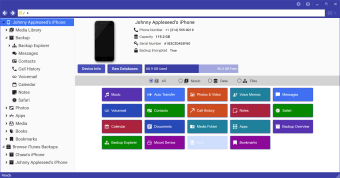
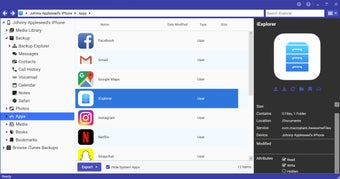
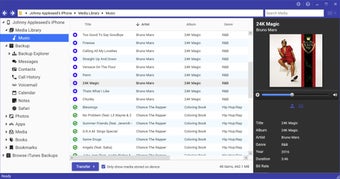
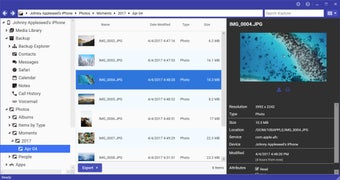
iExplorer features a clear and intuitive interface that aids in navigation. Users can view files organized neatly, facilitating a smooth experience when searching for specific items. By leveraging the Auto Transfer feature, users can streamline playlist creation while enjoying more control over their libraries. Additionally, the program enhances the experience for those looking to back up their communication apps, allowing for easy export of messages and call logs.
The program offers a comprehensive disk mounting feature that allows users to access their iOS device’s files directly through Finder or Windows Explorer, simplifying data management. Its user-friendly menus ensure effortless navigation, making it easy to locate and organize content without technical complexity. Additionally, the software provides efficient detection of connected devices, automatically recognizing iPhones, iPads, and iPods to streamline the connection process and ensure smooth file transfers.
A comprehensive backup solution
iExplorer proves itself as a solid companion for managing iOS content efficiently. The drag-and-drop feature enables users to manage files without hassle, ensuring an effective workflow. Although the program performs well, users should note a few limitations. The need for iTunes installation on non-iOS devices complicates the disk mounting process, and some individuals may experience pop-up ads or occasional crashes while using the software.
A solid choice for iOS management
Overall, iExplorer establishes itself as a valuable tool for users seeking to manage their iOS devices efficiently. While it has minor shortcomings, such as the need for iTunes and the presence of ads, its comprehensive features and user-friendly interface make it a compelling choice for those looking to stay organized.